Your chart and your recording, together.

A complete practice tool for musicians. Keep your score, recording, annotations, loops, and practice tools together—so you can begin sooner and stay with the music longer.

Try the actual Tacet Player app

Tacet PlayerA complete practice tool for musicians
Lush LifeBlue Hour · PDF
100%Page 1 of 2 · Song 1 of 1
Memooff
Lush Life
100
Keys: Space play / metro click · T tap tempo · N marker · P practice · M metro · U unmix · L loop · F full screen

Lush Life.pdf is on the stand. The bundled practice audio is ready below.

ReadPDF charts, images, and playlists
ListenLoop, speed, pitch, unmix, and stems
WorkAnnotate, record, and analyze
KeepSetlist, songs, shows, and backup

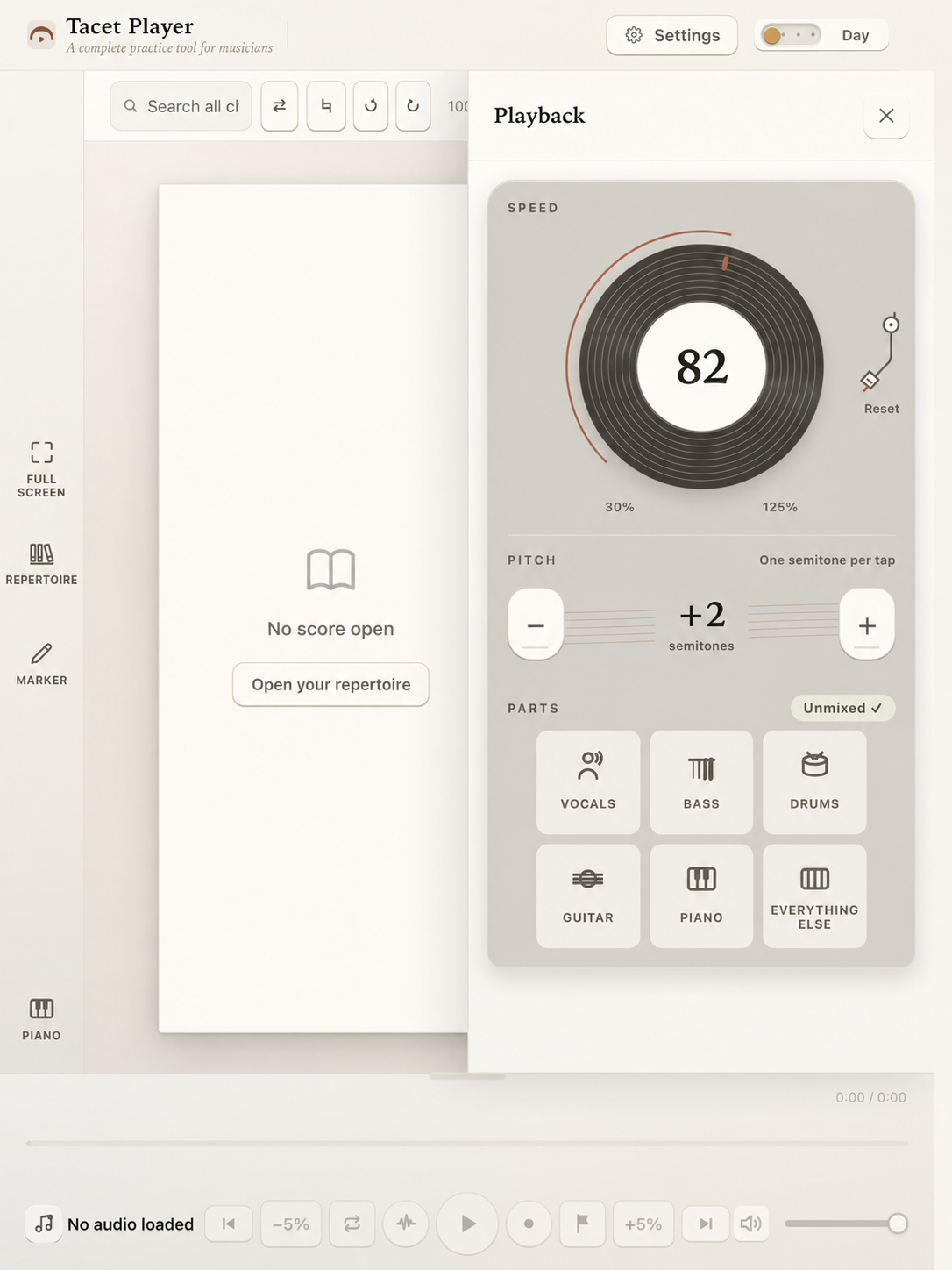
Separate the musical parts

Hear what matters

With Unmix, separate tracks, mute parts, and play along with the original track.

Try Tacet Player Unmix

Playback
PartsUnmixed ✓
Vocals
Bass
Drums
Everything else

Be ready in seconds

A library is useful when you get the call.

Tacet Player organizes the materials the way a working musician encounters them: songs in folders and setlists, each carrying the chart or handwritten template, recording, notes, and preparation already invested in it—so every chart, take, and note is ready when the call comes.

  • Setlists for rehearsals, shows, and practice
  • Instant access to charts, takes, notes, and templates
  • Unmix, loop, slow down, and change pitch
  • Back up your complete library and restore it anywhere
Friday show · First set01 · My Girl

Chart + recording + notes

My Girl · The Temptations
02 · Naima

Chart + Master + 1 note

03 · Footprints

Chart + Rehearsal 02

Library backupEverything that makes the library yours.

Charts · audio · marks · sets

The working details

Built for focused practice.

Contact Tacet for the current release requirements, price, download size, and license terms.

Platform
macOS and Windows
Charts
PDF, image, and notation files with read and annotation support
Audio work
A–B loop, 50–150% speed, ±12 semitones, four-part stem separation
Musical context
Chord, key, beat, and tempo analysis
Organization
Charts, shows, songs, memos, folders, forScore export, and .tacetbak backup
Account
No account required for the core practice workflow

Before you bring a tune in

Questions musicians ask first.

Clear answers should sit close to the decision. For current distribution details, Tacet answers directly.

Does Tacet Player upload my recordings?

No. Player makes no network requests in its core workflow. Charts, recordings, annotations, setlists, stem separation, and musical analysis stay on the Mac, with no account or sign-in.

Can I slow a recording without changing its key?

Yes. Speed and pitch are independent controls, so a passage can be slowed while staying in the original key, or transposed without changing its pace.

What can I put in a song?

A song pairs a chart with a recording and keeps its marks and working state. PDFs render inside Player; MuseScore files are cataloged for opening in their native apps.

Is this a DAW?

No. Player is deliberately narrower. It is a practice and preparation surface for the things a musician repeatedly does with a chart and a recording, without turning the session into an audio-production project.

How do I buy or try it?

Current release, price, trial, and compatibility details are available on the access page, with a direct route to Tacet for the right build.

Tacet Player

Bring one chart or one recording. Start there.

Contact Tacet for current release, trial, price, and compatibility details—or look at how the same design philosophy shapes teaching.